

Reading an Interview Report
After processing by Omogen, an interview report is automatically generated and candidates are sorted into different categories based on the outcome of their interview.
Accessing the Report
- From your dashboard, click on the candidate's name
- Open the "Interview Report" tab

Result Categories
✅ Case 1: Top profiles identified ("match")
These are the candidates to contact as a priority to continue the recruitment process.
Conditions to be identified as a match:
- Call answered and completed
- All required criteria validated
❓ Case 2: Other candidates
These are candidates that the AI could not evaluate or who do not seem to meet the prerequisites of the posting. Three possible situations:
The candidate did not answer any call attempt — call status: "failed"

The candidate answered but did not complete the interview — call status: "incomplete"

The candidate completed the full interview but did not meet the required criteria — call status: "completed"

What the Report Contains
Overall Score
A score /100 calculated from the answers to the job posting criteria. It allows you to compare candidates objectively.
Results by Criterion
For each criterion defined in your posting, the report indicates:
- Whether the criterion is validated or not validated
- The candidate's exact answer
Transcript
- Written transcript — full transcription of the interview
- Audio transcript — listen to the complete interview
Using the Report
Omogen helps you prioritize but lets you decide. The recommendations are a guide, not a verdict. Omogen will never automatically reject a candidate.
Generating a Follow-Up Email
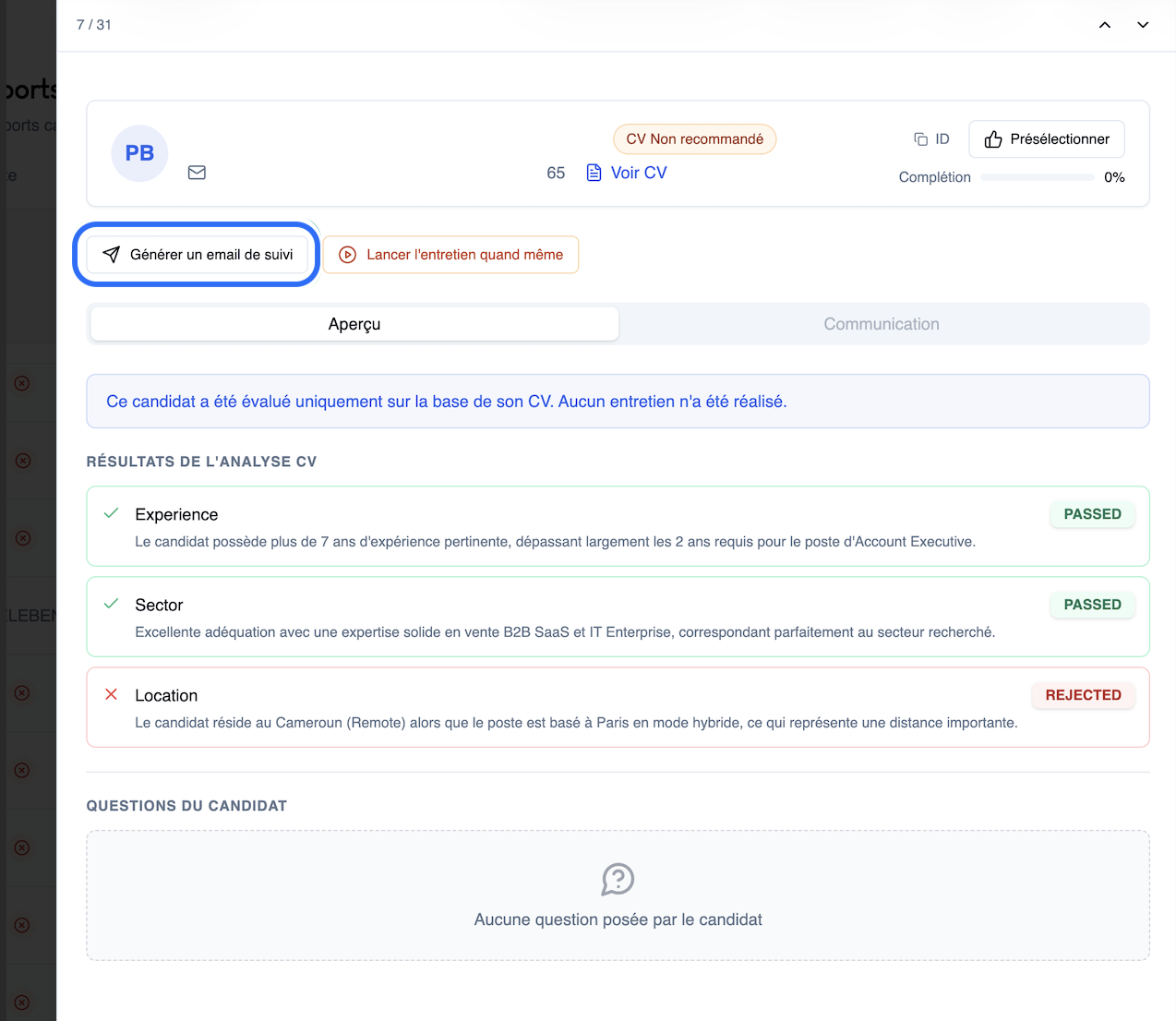
From a candidate's report, you can automatically generate a personalized follow-up email in one click.
Omogen drafts an email adapted to the interview context:
- Feedback on the topics discussed
- Next steps in the process
- Thank-you note for the exchange
- Professional rejection if the profile does not match
The email is ready to send: copy it or open it directly in your email client.
Last updated: 2026-03-18