

Using Omogen in Job Explorer
🧩 Chrome Extension — Omogen Connector
Open any Job Explorer job in Omogen with one click from your ATS. Install the extension →
Omogen integrates natively with Job Explorer. As soon as a candidate applies to one of your postings, Omogen analyzes their CV and contacts them automatically if their profile matches.
Important: Omogen only works if a job posting is linked to an order. An order alone does not trigger Omogen.
You have the option to work exclusively within Job Explorer.
The Process at a Glance
- You publish a job posting in Job Explorer, linked to an order
- Candidates apply through various job boards — their profile appears in the "Omogen Processing" column
- Omogen triggers automatically:
- CV analysis upon application
- Immediate call to relevant candidates
- Interview report generation and profile update in Job Explorer
- Candidates are automatically moved based on their interview result:
- "Pre-selected" — top profiles identified (match)
- "Not Contacted by Omogen" — CV not retained
- "Awaiting Candidate Response" — CV valid, no successful call
- "Called by Omogen" — CV valid, call answered (complete or interrupted)
- You receive an immediate email as soon as a top profile is identified:
- Candidate's overall score
- Link to the full Omogen report
- You find directly in Job Explorer the interview summary:
- Candidate score / 100
- Call status
- Link to the full report as well as the audio and written interview transcript
Review the Interview Before Calling Candidates (Recommended)
This step is optional but highly recommended. It allows you to review and/or modify the AI-generated interview script before launching your campaign.
Procedure:
- Log in to your Omogen account
- Type the name of the job posting you want to review in the search bar
- Click on the job posting
- Click "Edit" in the top right to display the interview script
Modify the generated interview:
- Click on the job posting in Omogen
- Click "Edit" in the top right
You can modify:
- The order of questions
- The text of questions, introduction, and conclusion
- Remove or add questions
- The question type: informational, scored, or required
Do not forget to click "Save" in the top right to confirm your changes.
Video — Editing an Interview in Omogen
Understanding Results in Job Explorer
After processing, Omogen automatically populates the candidate profile with all the information needed for recruiters to take over.
✅ Top Profiles (column "Pre-selected")
These are the candidates to contact as a priority. These candidates are automatically moved to the Job Explorer column "Pre-selected". The recruiter receives an immediate email to be notified that a top profile has been identified.
Conditions to be identified as a match:
- Relevant CV (location + required experience verified)
- Call answered and phone interview completed
- All required criteria validated
- Overall score ≥ 50/100
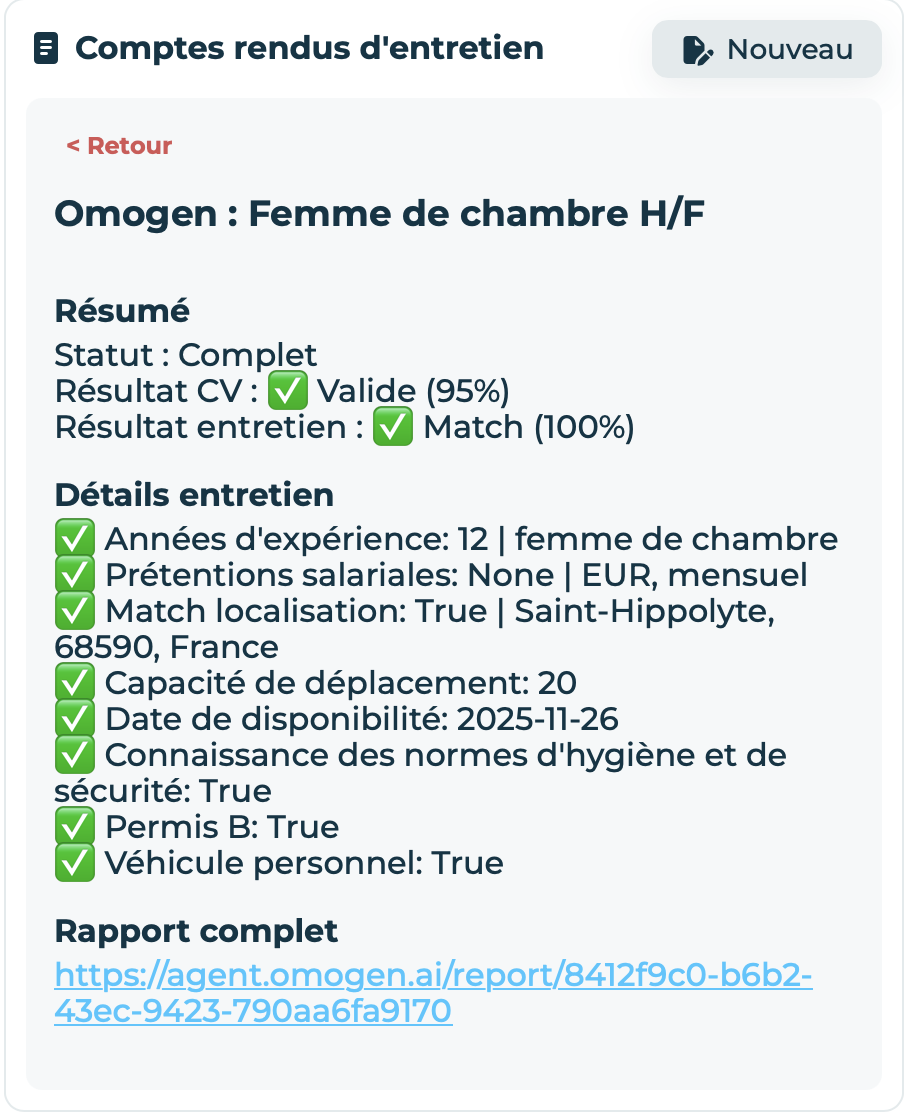
Understanding the summary:
- Status: Complete — Omogen successfully completed the CV screening and the phone interview
- CV Result: ✅ Valid — The candidate's location and required experience are validated
- Interview Result: ✅ Match — The candidate is considered a top profile
- Interview Details — Overview of all questions asked and answers (✅ satisfactory / ❌ unsatisfactory)
- Full Report — Link to the report on your Omogen account (audio + written transcript)
❓ Other Candidates — 4 Possible Cases
These candidates are also automatically moved to different columns in the Job Explorer Kanban view.
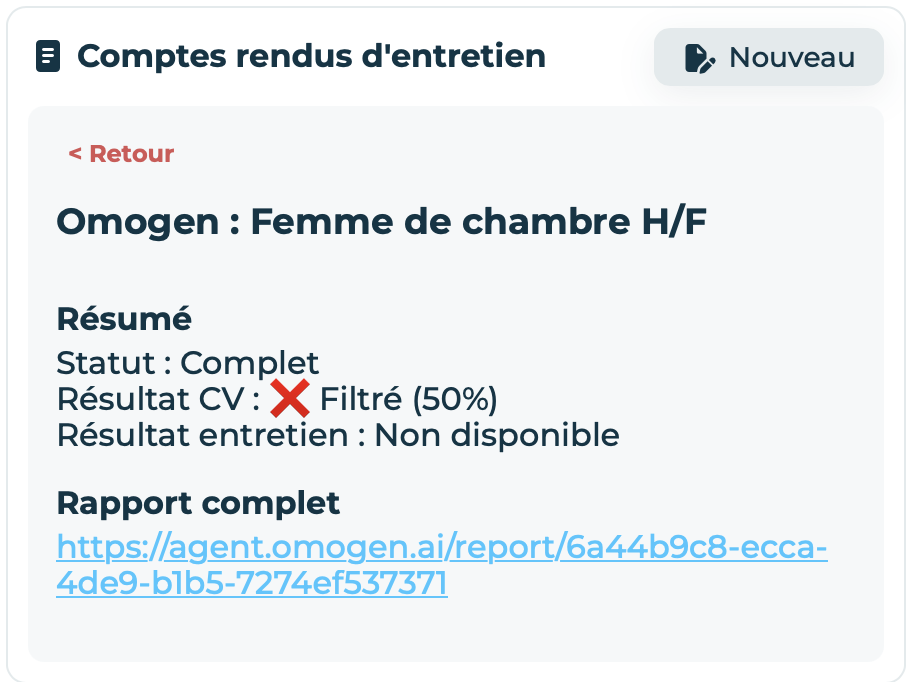
Case 1 — CV not retained (column "Not Contacted by Omogen")
The candidate is not called by Omogen. Their CV does not match the posting (location or insufficient experience).
Understanding the summary:
- Status: Complete — Omogen analyzed the CV and will not trigger a call. Processing is finished.
- CV Result: ❌ Filtered — The CV is not validated (candidate too far away or insufficient experience)
- Interview Result: Not available — The candidate was not called
- Full Report — Link to the report with the detailed explanation of the CV analysis
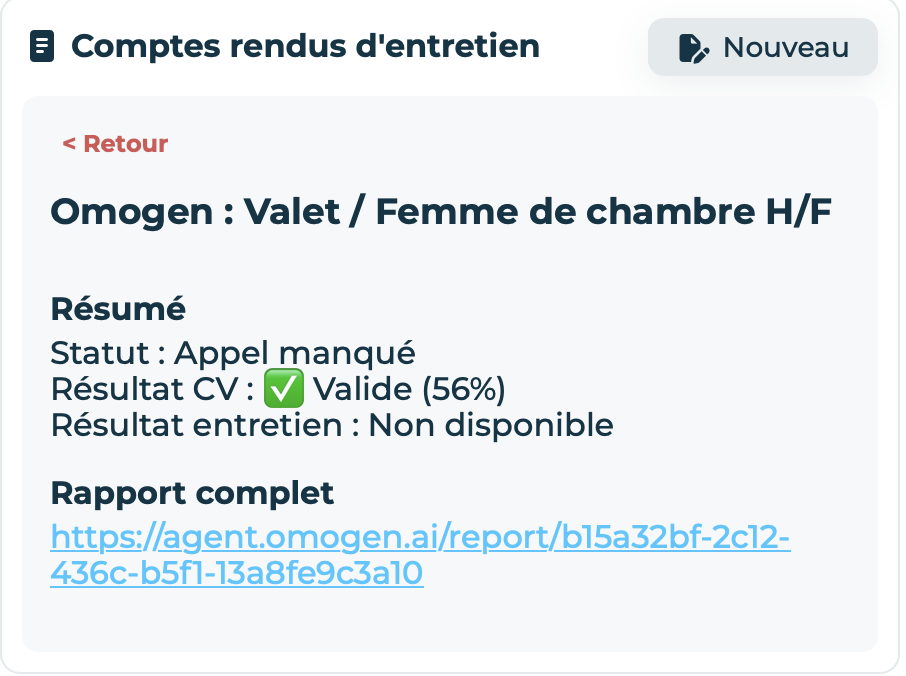
Case 2 — CV valid, no successful call (column "Awaiting Candidate Response")
Omogen tried to reach the candidate but received no response. Omogen stops calling the candidate.
Understanding the summary:
- Status: Missed Call — Omogen tried to reach the candidate without success
- CV Result: ✅ Valid — The location and required experience are validated
- Interview Result: Not available — No phone interview was conducted
- Full Report — Link to the report with the detailed explanation of the CV analysis
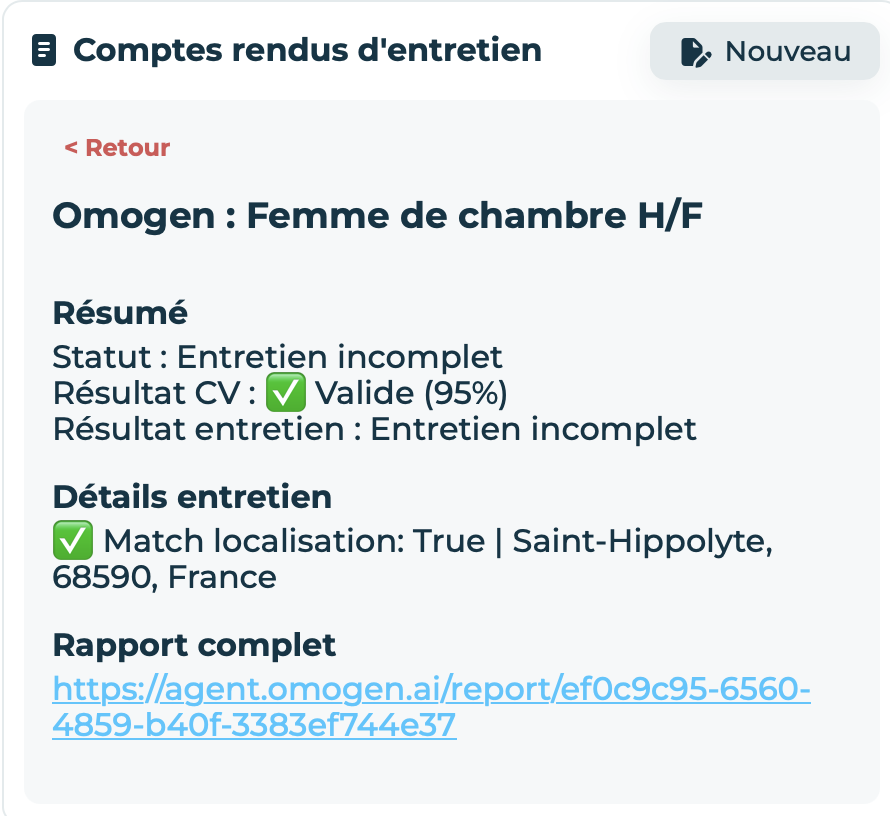
Case 3 — CV valid, interview interrupted (column "Called by Omogen")
The candidate started the interview but did not complete it. Omogen does not have enough information to evaluate them.
Understanding the summary:
- Status: Incomplete Interview — The candidate started the interview but did not complete it
- CV Result: ✅ Valid — The location and required experience are validated
- Interview Result: Incomplete Interview — Omogen does not have enough information to evaluate the candidate
- Interview Details — Overview of the questions asked and answers before the candidate hung up
- Full Report — Link to the report with the CV analysis + audio and written transcripts of the interview beginning
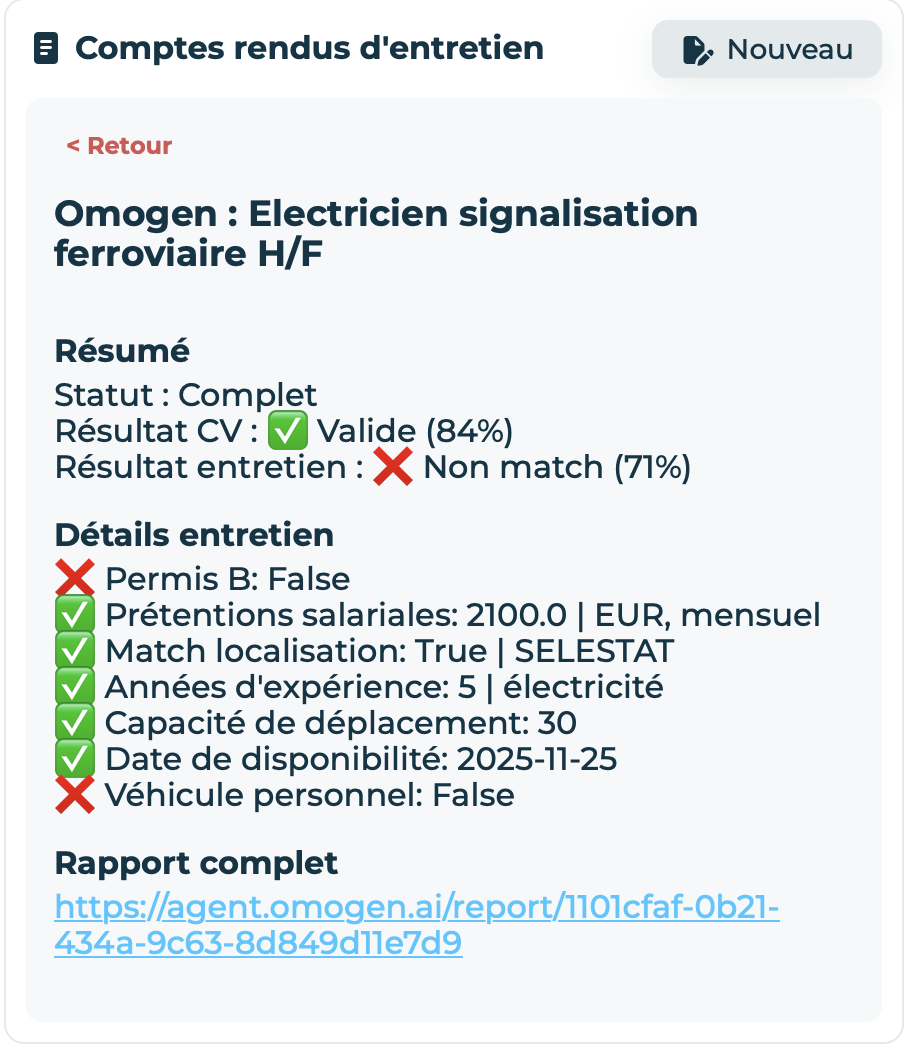
Case 4 — Interview completed, criteria not validated (column "Called by Omogen")
The candidate completed their interview but does not seem to match the posting requirements. Some required criteria are not validated or their overall score is < 50.
Understanding the summary:
- Status: Complete — The CV was validated and the phone interview was conducted
- CV Result: ✅ Valid — The location and required experience are validated
- Interview Result: ❌ No match — One or more required criteria not validated and/or score < 50
- Interview Details — Overview of the questions asked and answers (✅ satisfactory / ❌ unsatisfactory)
- Full Report — Link to the report with the CV analysis + audio and written transcripts of the interview
Last updated: 2026-03-16