

Receive recommended candidates for a job
When you create a job, Omogen looks in your talent pool for candidates who already match your criteria. You find them in Omogen and, depending on your settings, in your ATS and by email.
What Omogen does
When a job's recommendations are first generated, Omogen selects up to 5 candidates from your talent pool. Each candidate comes with their criteria: the ones that are met and the ones still to verify.
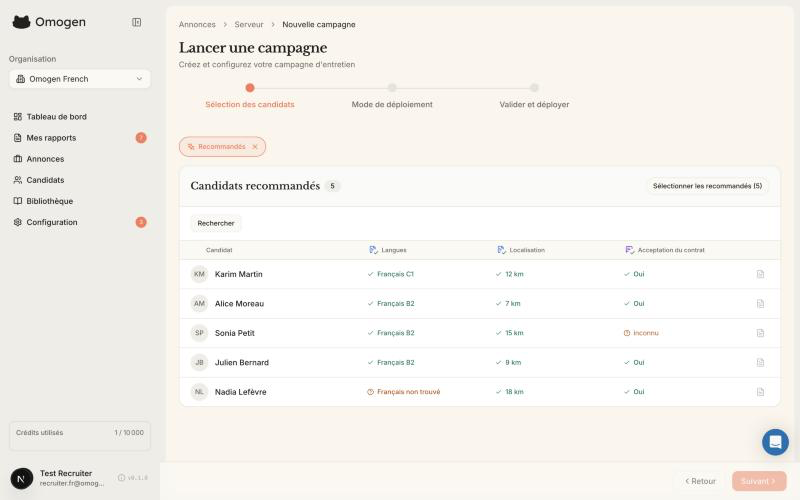
Omogen contacts no one on its own. You choose which candidates to launch in a campaign.
Set up recommendations
The settings are in "Configuration" → "Recommendations". They apply to the whole organization. The conditions and "Send to the ATS" are set by an organization admin, "Email the job's recruiter" by an administrator of your corporation.
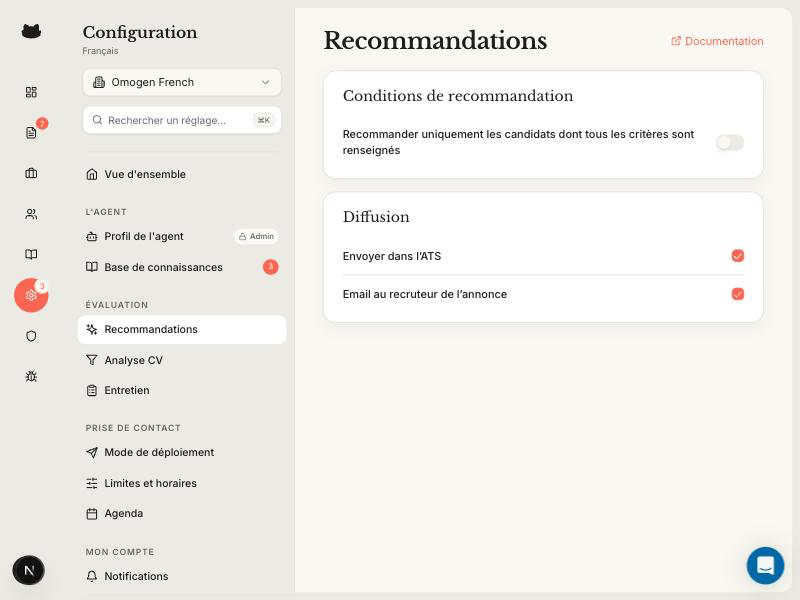
Choose which candidates are proposed
| Setting "Only recommend candidates with information for every criterion" | Candidates proposed |
|---|---|
| On | Only candidates whose required criteria are all known and met. |
| Off | The selection is completed with candidates who still have information to verify. They are flagged as such. |
A candidate who does not meet a required criterion is never proposed.
Choose where to receive them
| Setting | What happens |
|---|---|
| "Send to the ATS" | Candidates are added to your ATS (Teamtailor), in the job's recommendation stage. |
| "Email the job's recruiter" | The selection is emailed to the job's recruiter, even if they have not activated their Omogen account yet. Without a recruiter, the email goes to the recipients chosen in "Notifications". |
Receive them in Teamtailor
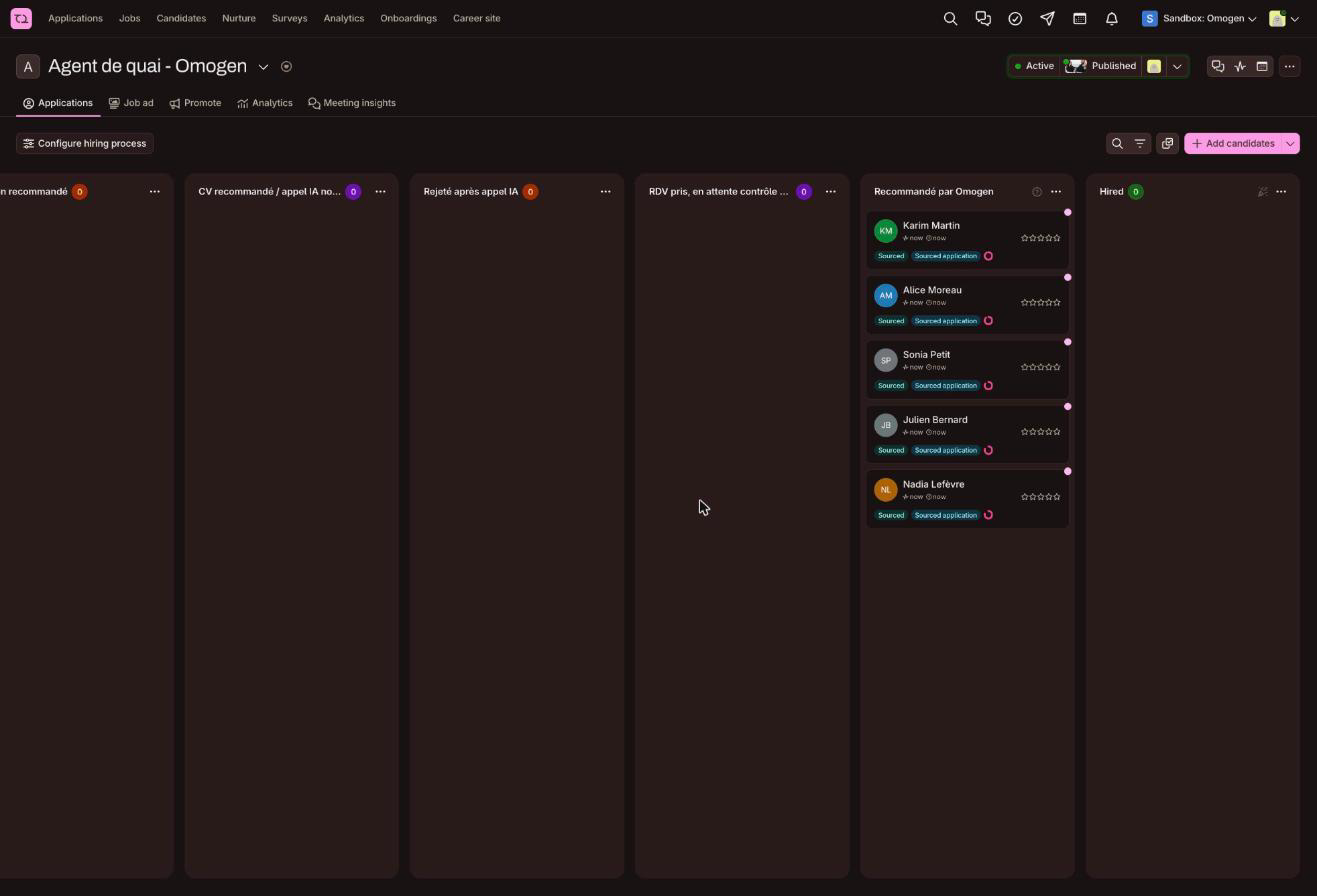
The "Send to the ATS" setting needs an active Teamtailor integration. Omogen adds each recommended candidate to the job's "Recommandé par Omogen" stage. You can change this name in "Configuration" → "Integrations" → "Teamtailor".
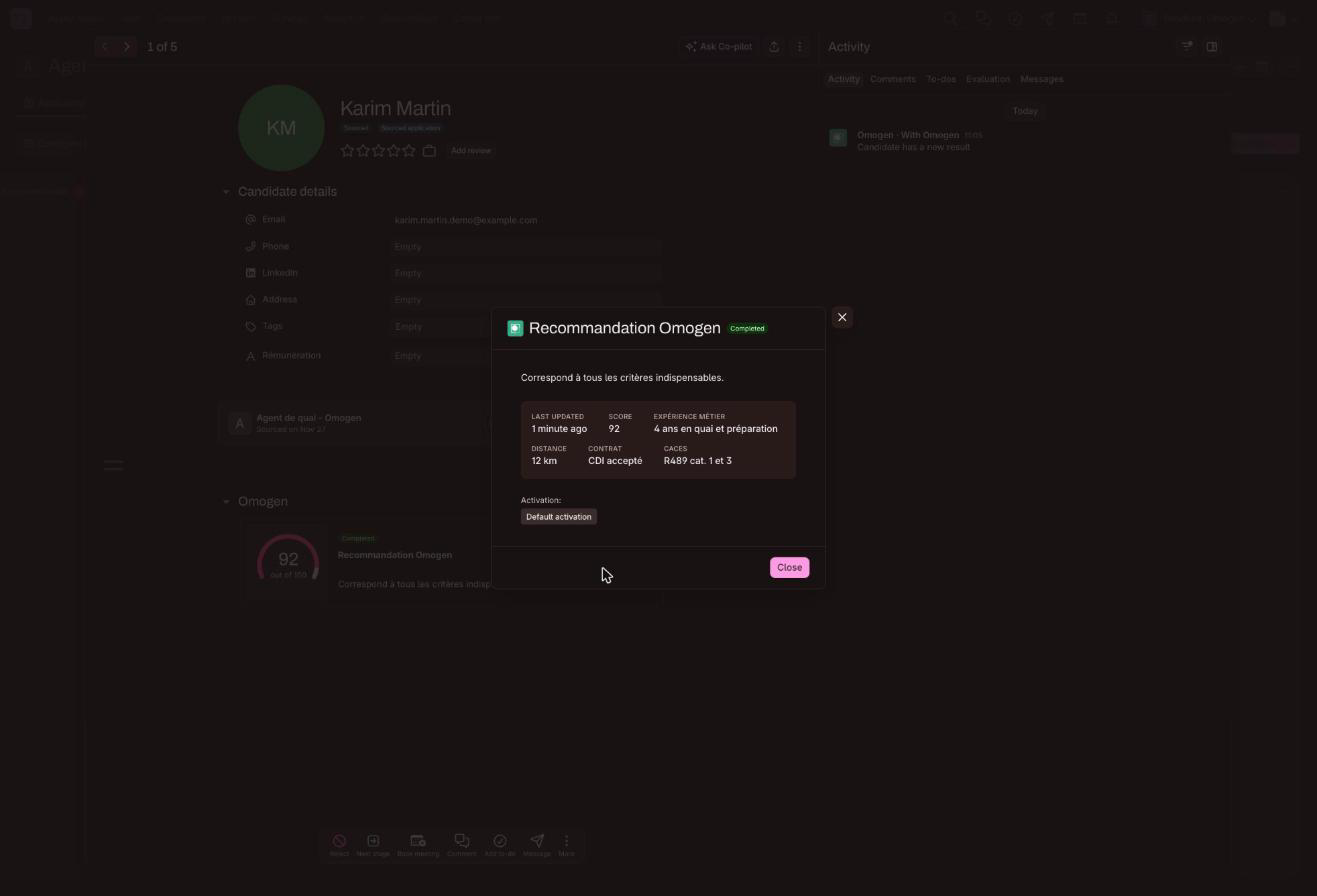
Each candidate gets a "Recommandation Omogen" card with their score and the detail of their criteria.
Place the stage right after Inbox
If the job does not have this stage, Omogen creates it at the end of the pipeline, just before "Hired". Teamtailor does not let Omogen choose its position. To have it in the right place, add it to your job templates:
- In Teamtailor, open "Settings" → "Templates" → "Jobs", then your job template.
- Add a stage named exactly as in Omogen, "Recommandé par Omogen" by default.
- Drag it right after "Inbox" and save.
Jobs created from this template will have it in the right place. Omogen finds it by its name and does not create another one.
Receive them by email
The email shows the job's criteria, then the candidates: first those who match, then those with a criterion to verify.
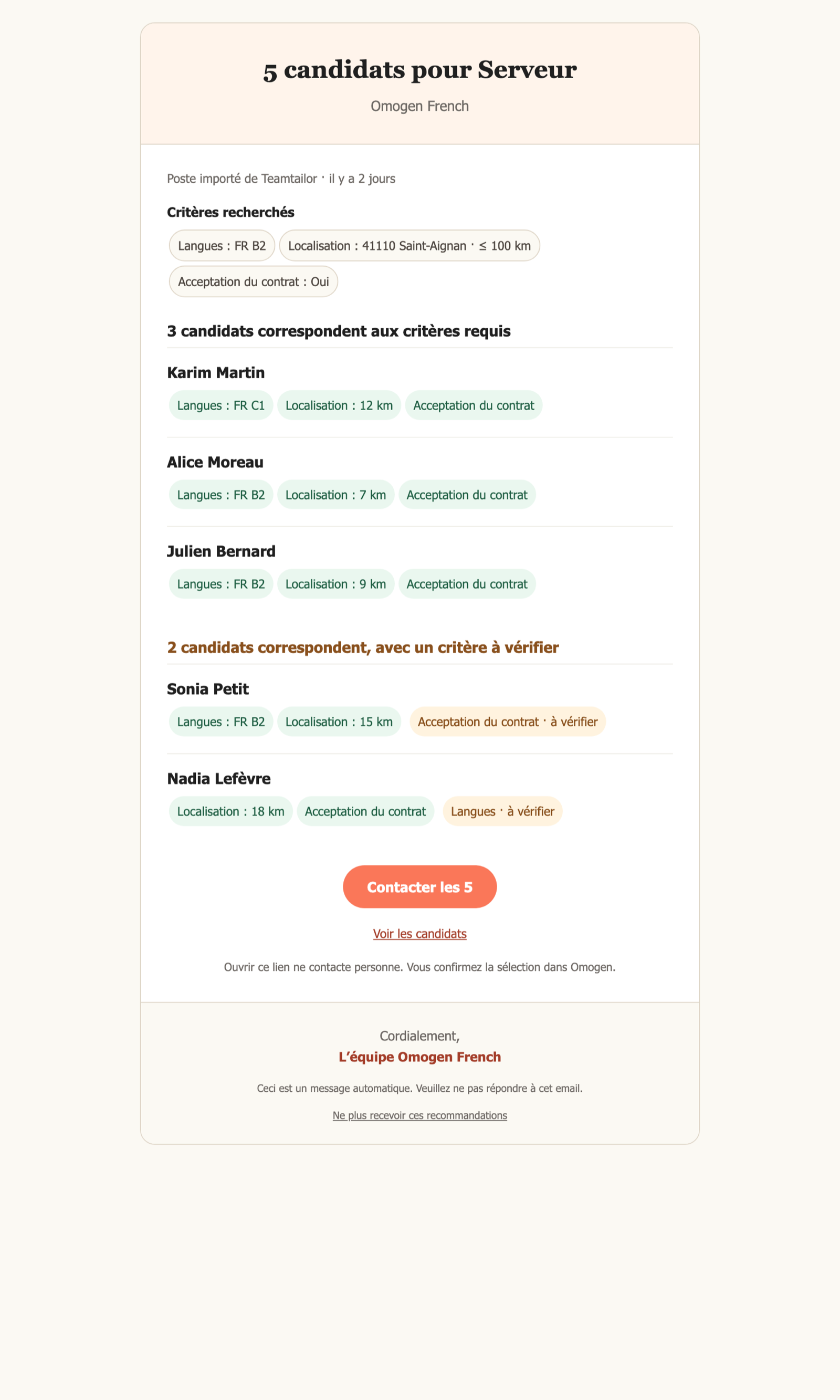
The "Contact N" button and the "View candidates" link open the job's campaign in Omogen, with the recommended candidates. Opening the link contacts no one: you confirm the selection in Omogen.
→ Teamtailor integration · Notifications (in French)
Last updated: 2026-11-27